
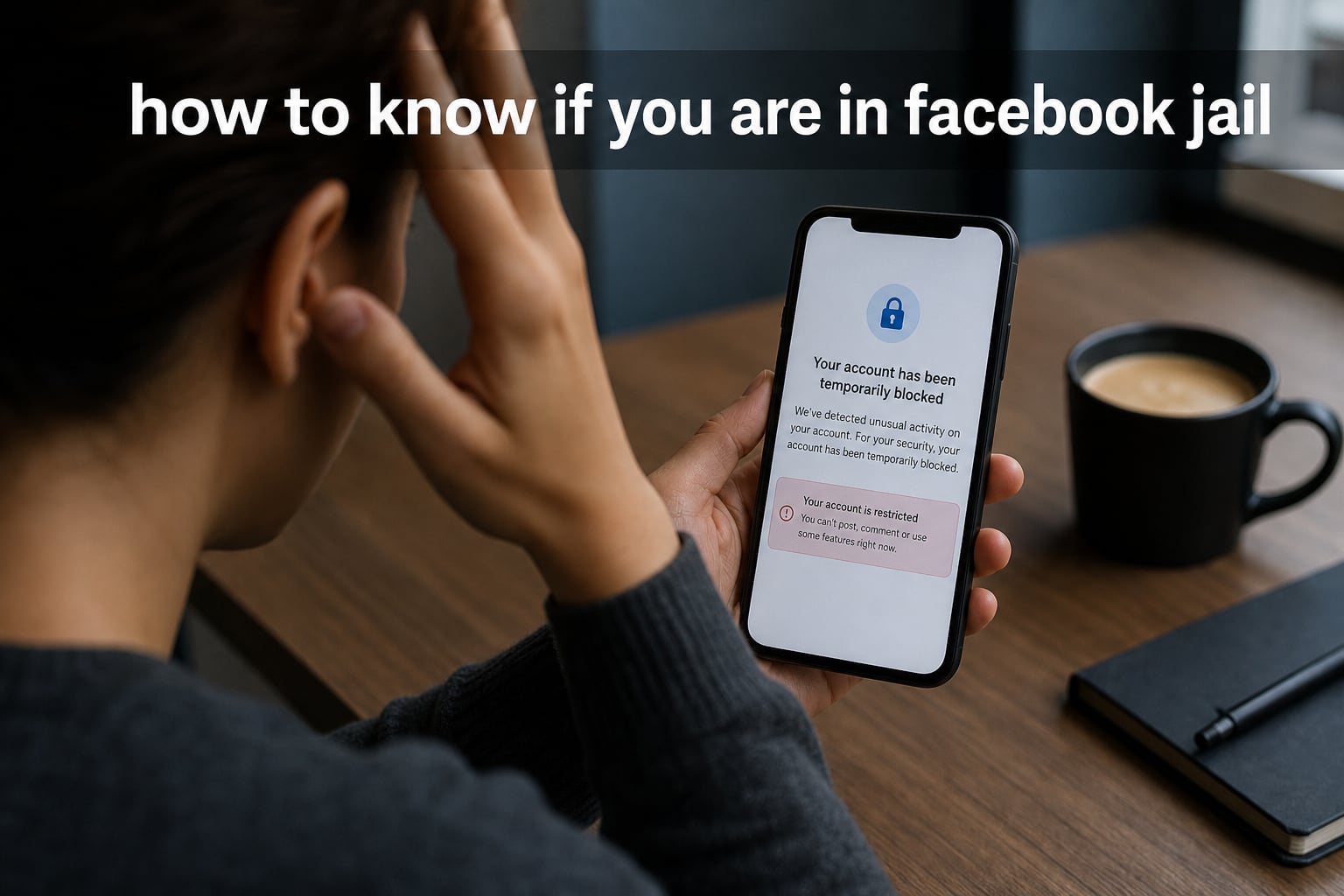
You try to post a comment on a friend’s photo, and instead of seeing your witty reply appear, you get a message saying your action is temporarily blocked. Sound familiar? If you have ever wondered whether Facebook silently restricted your account, you are not alone. Thousands of users search for answers every month, trying to figure out what went wrong.
Learning how to know if you are in Facebook jail is the first step toward fixing the problem. Facebook does not always send a clear notification when it restricts your account. Sometimes the restrictions sneak up on you through blocked posts, disabled comments, or mysteriously broken Messenger. Understanding the signs helps you take action quickly and avoid making things worse.
In this guide, I will walk you through every symptom to watch for, show you exactly how to check your account status, explain why these restrictions happen, and share what you can do to get your account back to normal.
Table of Contents
What Is Facebook Jail?
Facebook jail is a slang term used to describe what happens when Facebook restricts your account from performing certain actions. The restriction happens because Facebook believes you violated its Community Standards. Your account is still visible, but key features stop working.
Think of it as a digital time-out. Facebook limits what you can do for a set period, which could be hours, days, or even permanently. During this time, you might not be able to post, comment, like, share, or send messages through Messenger. The severity depends on what triggered the restriction and whether you have previous violations on your record.
Facebook uses a combination of automated systems and human reviewers to enforce its rules. When the system flags your activity, it applies a restriction that matches the perceived severity of the violation. Most users experience temporary restrictions, but repeat offenders or serious violations can lead to permanent account disablement.
The Three Types of Facebook Restrictions
Not all restrictions look the same. Understanding the difference helps you figure out what you are dealing with.
Temporary Ban: Your account is restricted from specific actions for a set period. You might see a message telling you when the restriction lifts. These bans typically last from 24 hours to 30 days.
Permanent Ban or Account Disablement: Facebook completely disables your account. You cannot log in, and your profile disappears from the platform. This happens with severe or repeated Community Standards violations.
Shadowban: This is the hardest to detect. Your account still works, and you can still post and comment. However, your content reaches far fewer people. Your posts may not appear in feeds, search results, or group discussions. Facebook does not officially acknowledge shadowbanning, but many users report experiencing it.
How to Know If You Are in Facebook Jail: 10 Clear Signs
Here is where things get practical. If you suspect your account is restricted, these are the specific signs to look for. You do not need all of them to confirm you are in Facebook jail. Even one or two symptoms can indicate a restriction.
1. You see a “temporarily blocked” or “action blocked” message. This is the most obvious sign. When you try to post, comment, or like something, Facebook shows a red or yellow notification explaining that the action is temporarily unavailable. The message often includes a date when the restriction will be lifted.
2. You cannot post in groups or on your timeline. You compose a post, hit submit, and nothing happens. Or you get an error saying your post could not be completed. This restriction applies to both your personal timeline and Facebook groups.
3. Comments fail or disappear immediately. You type a comment on someone’s post, submit it, and it vanishes or never appears. Sometimes Facebook shows an explicit message saying commenting has been temporarily blocked on your account.
4. The Like button stops working. You tap Like on a post or photo, and the reaction either does not register or immediately reverts. Facebook has restricted your ability to engage with content.
5. Messenger stops sending messages. You try to message a friend, and the message gets stuck on “sending” or returns an error. In some cases, you can read incoming messages but cannot reply.
6. You cannot share posts or send links. The Share button may be disabled entirely, or you get an error when trying to forward content. Link sharing is often one of the first features restricted when Facebook suspects spam behavior.
7. You receive a notification about a Community Standards violation. Facebook sends a formal notification explaining that your content violated its standards. This notification usually includes the specific post that was flagged and a link to review or appeal the decision.
8. Your posts get zero engagement from non-friends. If you normally get likes and comments from people outside your friend list and suddenly that stops completely, you may be shadowbanned. Your content exists but is essentially invisible to a wider audience.
9. Your account appears hidden from Facebook search. Friends search for your name and cannot find your profile. Or you search for yourself from another account and your profile does not appear in results.
10. You see a warning in your Support Inbox. Facebook sends violation notices and account status updates through the Support Inbox. Finding unread messages there about restrictions is a strong indicator that your account has been flagged.
Exact Error Messages Facebook Shows
Facebook uses specific language when restricting accounts. If you see any of these messages, you are likely in Facebook jail:
“You’re temporarily blocked from performing this action.”
“We restrict certain activity to protect our community.”
“Your account has been temporarily restricted.”
“You can’t post right now due to recent activity.”
“This feature is temporarily unavailable.”
“Your account is scheduled for deletion.”
“We’ve removed content that violates our Community Standards.”
Some of these messages include a countdown or end date. Others simply tell you to try again later without any clear timeline, which can be incredibly frustrating.
How to Check Your Facebook Account Status (Step by Step)
Seeing one or more of the signs above does not automatically confirm a restriction. Sometimes Facebook experiences glitches or outages that mimic jail symptoms. Here are the exact steps to verify your account status.
Step 1: Check Your Support Inbox
The Support Inbox is Facebook’s official channel for communicating about account restrictions and violations. This is the most reliable way to confirm whether your account has been flagged.
On desktop, click your profile picture in the top right corner, then select “Help and support” followed by “Support Inbox.” On mobile, tap the menu icon (three lines), scroll to “Help and support,” and tap “Support Inbox.”
Look for any messages about Community Standards violations or account restrictions. Each message typically explains what content was flagged, which standard it violated, and what actions are restricted. If you see violation notices here, your account has been formally flagged.
Step 2: Review Your Account Quality Status
Facebook provides a dedicated page where you can review your account standing. Go to your Settings, then look for “Account quality” or visit facebook.com/accountquality directly. This page shows your current restriction status, active violations, and any pending appeals.
If your account is restricted, the page will display which features are affected and when the restrictions are scheduled to lift. A clean account quality page means no active restrictions.
Step 3: Check Your Profile Visibility
Log out of Facebook or ask a trusted friend to help. Search for your profile name in the Facebook search bar. If your profile does not appear in search results, or if it appears but shows limited information, your visibility may be restricted.
Also, try viewing your profile from the perspective of someone who is not on your friend list. If content that should be public is hidden, that is another sign of account restrictions.
Step 4: Test Each Feature Individually
Do a systematic check of each Facebook feature to identify which ones are restricted:
Try posting on your own timeline.
Try commenting on a friend’s public post.
Try liking or reacting to a post.
Try sending a message through Messenger.
Try sharing a post from a Page you follow.
Try joining or posting in a Facebook group.
Note which actions work and which produce error messages. This tells you the scope of your restriction and helps you understand whether you are dealing with a partial ban or a full account restriction.
How to Check If You Are in Facebook Jail on iPhone
The process on iPhone is slightly different from desktop. Open the Facebook app and tap the menu icon at the bottom right (three horizontal lines). Scroll down and tap “Settings and privacy,” then tap “Settings.”
From Settings, tap “Account quality” or navigate to “Help and support” then “Support Inbox” to check for violation notices. The Account Quality page on iPhone shows the same information as desktop, including active restrictions and appeal options.
If the Account Quality page shows no issues but you still cannot perform certain actions, try accessing Facebook through the Safari browser on your iPhone instead of the app. Sometimes the app cache causes false error messages. Clearing the app cache or reinstalling can resolve display issues that mimic jail symptoms.
Step 5: Check Messenger Separately
Messenger can be restricted independently from your main Facebook account. Open a conversation and try sending a text message, a photo, and a link. If text works but links or images are blocked, Facebook may have specifically restricted certain content types, often due to suspected spam activity.
Messenger restrictions sometimes come with their own notification. Look for a banner at the top of a conversation that says messaging is restricted or that certain features are unavailable.
Common Reasons You End Up in Facebook Jail
Understanding why Facebook restricts accounts helps you avoid future problems. Most restrictions fall into a few key categories.
1. Spam Behavior
Sending too many friend requests, posting the same content across multiple groups, or sending mass messages triggers spam detection. Facebook’s automated systems flag accounts that exhibit repetitive, high-volume behavior similar to bot activity.
I have seen users get restricted for posting the same event invitation in several groups within a short window. Even legitimate promotion can look like spam if it is done too aggressively.
2. Hate Speech and Harassment
Posts containing slurs, targeted attacks on individuals, or bullying content violate Community Standards. Facebook uses both AI and user reports to detect hate speech. The platform has become increasingly aggressive about enforcing these rules.
Forum users report being jailed for comments that seemed mild to them but were flagged by the system. Context matters, but the automated systems do not always understand nuance or sarcasm.
3. Fake Engagement
Buying likes, using engagement pods, or participating in like-for-like schemes violates Facebook’s terms. The platform actively detects artificial engagement patterns and restricts accounts that participate in them.
4. Copyright Infringement
Posting content you do not own, especially music, videos, or images with copyright protection, can trigger a restriction. Copyright holders file takedown requests, and Facebook responds by removing the content and potentially restricting the account.
5. Misinformation
Sharing false information about health, elections, or other sensitive topics can lead to restrictions. Facebook partners with third-party fact-checkers to identify and limit the spread of misinformation.
6. Mass Reporting
Sometimes a single post gets reported by many users simultaneously, triggering an automatic restriction before a human reviewer even looks at it. This is one of the most frustrating reasons because the original content may not actually violate any standards.
One Reddit user shared that they were placed in Facebook jail for 30 days after sharing a meme that was already circulating widely in other groups. The mass reporting triggered an automatic response, and the appeal process took weeks.
7. Using a Fake Name or Identity
Facebook requires users to operate under their real names. Accounts with obviously fake names, multiple accounts for the same person, or profiles impersonating others can be restricted or permanently disabled.
How Long Does Facebook Jail Last?
One of the most common and anxiety-inducing questions is about duration. The answer depends on the type and severity of the violation, as well as your account history.
First-time minor violations: These typically result in a 24-hour to 72-hour restriction. You might be blocked from posting or commenting for a day or two, then full access returns automatically.
Repeat or moderate violations: These can lead to 7-day, 14-day, or 30-day restrictions. Each subsequent violation tends to increase the duration. A user who received a 24-hour ban last time might get a 7-day ban for the next similar violation.
Serious violations: Hate speech, severe harassment, or illegal content can result in 30-day bans even for first offenses. Multiple serious violations lead to permanent account disablement.
Shadowban duration: Since Facebook does not officially acknowledge shadowbanning, there is no official timeline. Users report reduced visibility lasting anywhere from a few days to several weeks. Visibility typically returns gradually without any notification.
Permanent bans: These do not lift. However, you can appeal a permanent ban if you believe it was issued in error. Some users successfully get their accounts restored through the appeal process, though it can take weeks.
What Happens After Your Jail Sentence Ends?
Once your restriction period ends, most features return automatically. You do not need to take any action. However, the violation stays on your account record. Facebook tracks violations over time, and accumulated violations can lead to longer bans for future infractions.
Some users report that even after their jail time ends, certain features remain restricted for an additional period. If this happens, check your Account Quality page for any secondary restrictions that may have been applied separately.
How to Get Out of Facebook Jail
If you believe your restriction was issued in error, you can appeal. The appeal process is your best chance at getting your account restored before the scheduled end date.
Step 1: Open the Violation Notification
Go to your Support Inbox and open the message about your restriction. Read the details carefully to understand which Community Standard you allegedly violated and which specific post or action triggered the restriction.
Step 2: Click “Request Review” or “Appeal”
The violation notification includes an option to request a review. Click this button to start the appeal process. Facebook will have a human reviewer examine your case rather than relying solely on the automated system.
Step 3: Write a Clear, Polite Appeal
If the appeal form allows written explanation, keep your message concise and respectful. Explain why you believe the restriction was a mistake. Reference the specific post or action if possible, and avoid emotional language or accusations.
A good appeal might say: “I believe this restriction was applied in error. The flagged post was [description]. This content does not violate Community Standards because [reason]. I have reviewed the guidelines and would appreciate a human review of this decision.”
Step 4: Complete ID Verification If Required
For certain types of restrictions, especially those involving account identity issues, Facebook may ask you to verify your identity by uploading a government-issued ID. This step ensures that the account belongs to a real person and helps resolve disputes about fake accounts.
If your ID verification fails, try a different form of identification. Facebook accepts driver’s licenses, passports, and other official documents. Make sure the image is clear, well-lit, and shows all four corners of the document.
Step 5: Wait for a Response
Facebook typically responds to appeals within 1 to 14 days. During this time, your restriction remains in place unless the appeal is approved. You can check the status of your appeal in the Support Inbox.
If your appeal is approved, restrictions are lifted immediately or within 24 hours. If it is denied, the restriction remains until the scheduled end date. You can sometimes submit a second appeal if you have new information, but multiple appeals without new evidence rarely succeed.
What to Do When Your Appeal Fails
If your appeal is denied and you believe the decision is genuinely wrong, consider these options. First, wait out the restriction and avoid any activity that could trigger additional violations. Second, review Facebook’s Community Standards thoroughly to understand exactly what the platform considers a violation. Third, if your account was permanently disabled, you can try contacting Facebook through the Facebook Help Center community forums for additional guidance.
How to Avoid Facebook Jail in the Future
Prevention is always easier than recovery. After dealing with a restriction once, most users want to avoid repeating the experience. Here are practical steps to keep your account in good standing.
Read and follow Community Standards. Facebook publishes its Community Standards in full at transparency.fb.com. Understanding what content is and is not allowed helps you stay within the rules, even when posting about sensitive topics.
Space out your posts and interactions. Avoid posting the same content in multiple groups within a short timeframe. If you need to share something across several communities, wait a few hours between posts. This prevents triggering spam detection.
Avoid aggressive friend request behavior. Sending dozens of friend requests in one session, especially to people you do not know, looks like bot activity. Facebook restricts accounts that exhibit this pattern. If you genuinely want to connect with new people, send a few requests per day.
Do not participate in engagement schemes. Like-for-like groups, comment exchanges, and purchased engagement all violate Facebook’s terms. The platform detects these patterns and restricts participating accounts.
Think before you post. Avoid sharing content that could be interpreted as hate speech, harassment, or misinformation. When in doubt, leave it out. The automated systems are not perfect, and even jokes can be flagged if the AI does not understand the context.
Secure your account. Enable two-factor authentication and use a strong, unique password. Hacked accounts often get restricted because the attacker uses them for spam. If your account is compromised, report it to Facebook immediately to minimize the risk of restrictions.
Original content over shared content. Posting your own original content carries less risk than sharing content from other sources. Copyright issues, misinformation flags, and mass reporting all happen more frequently with shared content.
How to Tell If a Friend Is in Facebook Jail
Sometimes you are not checking your own account but wondering about a friend who has gone quiet. There are a few indicators that someone else might be in Facebook jail.
If your friend suddenly stops posting, commenting, and reacting to content, that is the first sign. Their last visible post might be from days or weeks ago. When you tag them in a post, they do not respond or interact.
Check Messenger. If your messages to them show as sent but never read, or if they tell you they can see messages but cannot reply, that suggests Messenger restrictions. Their online status may also disappear entirely.
Search for their profile from your account. If their profile appears with limited content or shows as restricted, their visibility may have been lowered. However, remember that people also take voluntary breaks from social media, so absence does not always mean a restriction.
Frequently Asked Questions
What does it look like when you’re in Facebook jail?
When you are in Facebook jail, you will see error messages like u0022You’re temporarily blocked from performing this actionu0022 or u0022We restrict certain activity to protect our communityu0022 when trying to post, comment, like, or message. Your posts may disappear, comments may fail to submit, and Messenger may stop sending messages. You may also receive a notification in your Support Inbox about a Community Standards violation.
What happens if you are in Facebook jail?
If you are in Facebook jail, Facebook restricts your ability to perform certain actions on the platform. Depending on the severity, you may be unable to post on your timeline, comment on others’ posts, like or react to content, share posts, send messages through Messenger, or participate in groups. Your profile may also become hidden from search results. The restrictions last for a set period, typically 24 hours to 30 days.
How to get off Facebook jail?
To get out of Facebook jail, open the violation notification in your Support Inbox and click u0022Request Reviewu0022 to submit an appeal. Write a clear, polite explanation of why you believe the restriction was issued in error. Complete ID verification if Facebook requires it. Wait 1 to 14 days for a response. If the appeal is denied, the restriction lifts automatically when the scheduled period ends.
How do I check if my profile is locked on Facebook?
To check if your profile is locked, go to Settings, then Account Quality, to see your current restriction status and active violations. You can also check your Support Inbox for any violation notices. To test visibility, log out of Facebook or ask a friend to search for your profile name. If your profile does not appear in search results or shows limited information, your visibility may be restricted.
Conclusion
Knowing how to tell if you are in Facebook jail empowers you to take control of your account instead of wondering why nothing works. The signs are clear once you know what to look for: blocked posts, failed comments, broken Messenger, violation notices, and restricted search visibility.
Check your Support Inbox and Account Quality page to confirm any restrictions. If you have been flagged, use the appeal process and be patient while waiting for a response. Most importantly, review Facebook’s Community Standards and adjust your behavior to avoid landing back in jail. Stay informed, post thoughtfully, and keep your account secure.